
Change monthly credits and add-ons from Billing
Organization owners can raise or lower monthly credits, add products, or buy a one-time credit pack from Billing.
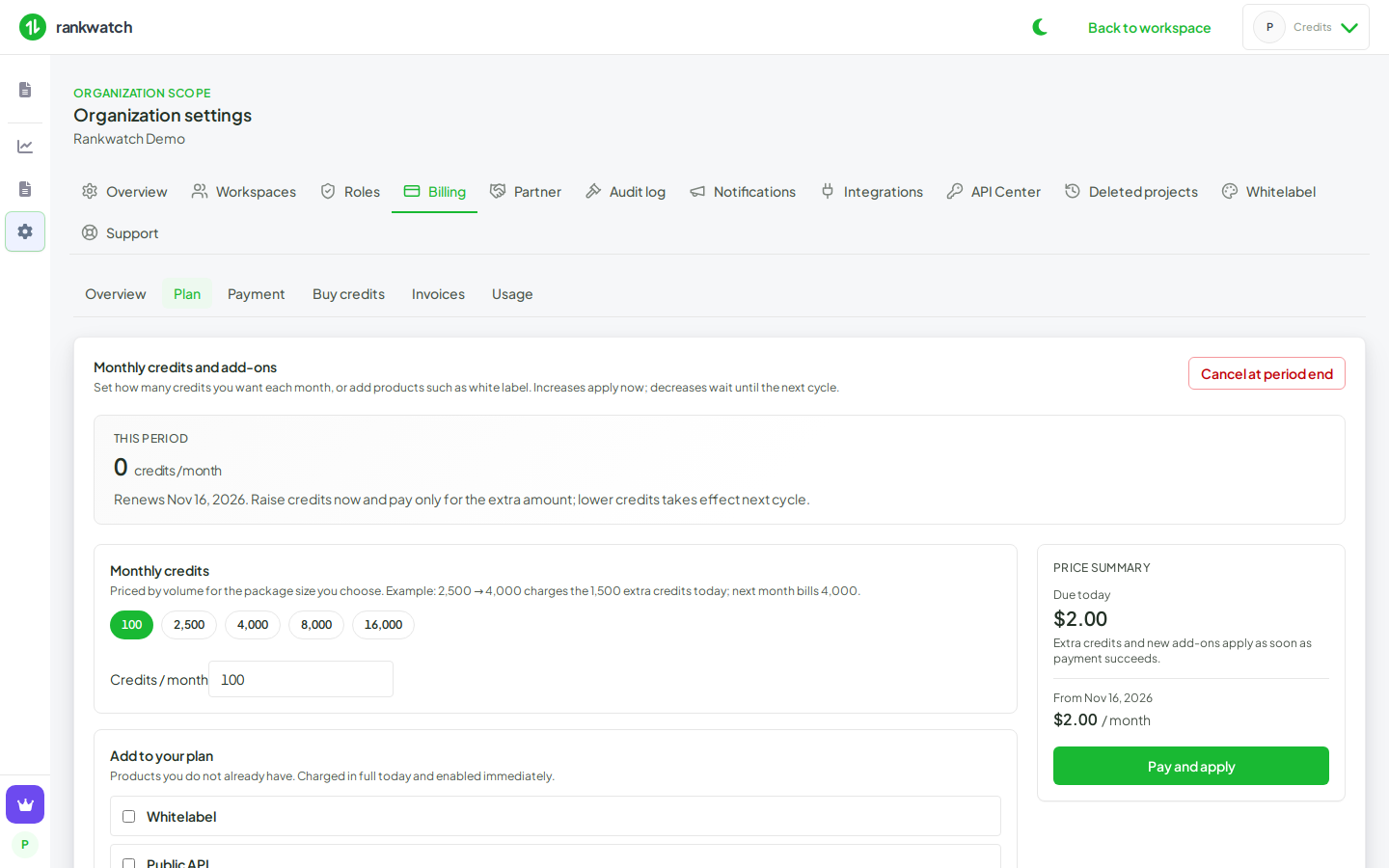
Organization Settings → Billing is now a self-serve hub. Owners no longer pick a different published bundle on this screen.
What's included
- Overview — current plan, credits this period, billing period, pack balance, and Change plan / Buy credits
- Plan — set monthly credits and add products you do not already have
- Buy credits — one-time packs or a custom quantity; does not change the monthly allowance
- Payment, Invoices, and Usage stay on the same Billing tab
- Raising credits charges only the extra amount today and raises this period immediately. Lowering waits until the next cycle
- New add-ons are charged in full today and turn on as soon as payment succeeds
- Invoice details (legal name, address, country; GST state for India) are required before a paid change. Country cannot be cleared after it is saved
Included plan credits are used before one-time packs. Packs expire on the window shown at checkout (90 days by default).