
How to buy one-time credits
Buy a prepaid credit pack or a custom quantity without changing your monthly allowance.
Prerequisites
- Organization owner
- Invoice profile saved before checkout
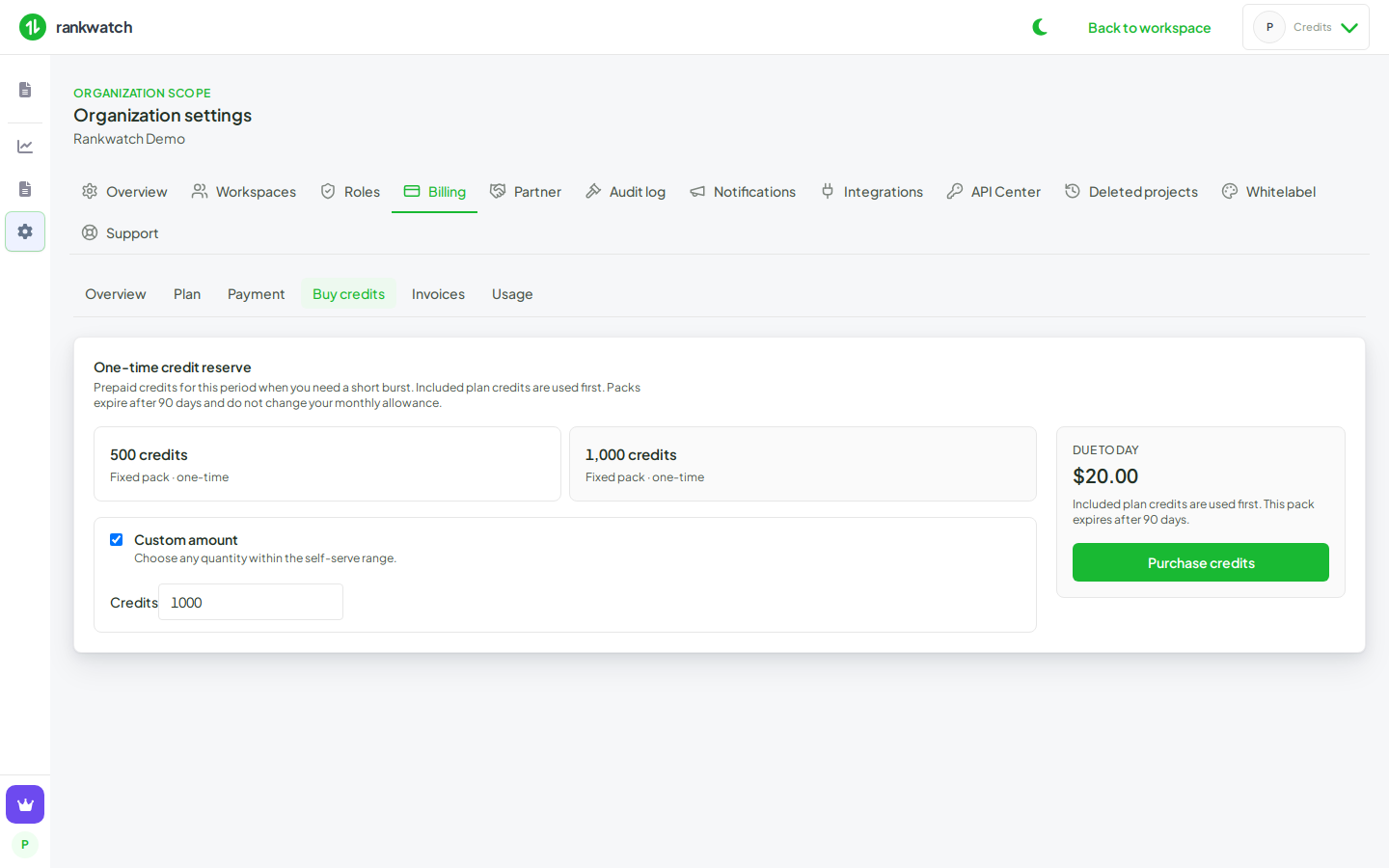
Buy credits adds a one-time reserve. It does not change monthly credits, feature access, or the next renewal amount.
Steps
- Sign in as the organization owner.
- Open Organization settings → Billing → Buy credits.
- Complete the invoice profile if RankWatch blocks checkout (business name, address, and country; state for India).
- Choose a fixed pack or a custom quantity. The summary shows the price before you pay.
- Pay in hosted checkout. Packs expire on the grant window shown on the screen (90 days unless your catalog says otherwise).
- Return to Overview. Pack balance increases. Credits this period is the monthly allowance and is unchanged by this purchase.
Included plan credits are spent before pack credits. When the billing banner says tracking is paused or credits are soft-exhausted, Buy credits is the fastest way to restore headroom. Trackings paused for credits resume when credits are added.
Outcome
You have extra credits for a burst of tracking or tool jobs. The monthly plan stays the same. For a lasting higher allowance, change monthly credits instead.