
How to download a generated report
Download a completed PDF or XLS from Reporting → Generated reports.
Prerequisites
- Reporting permissions (read / run / schedule / branding as needed)
After a generate or schedule run succeeds, download the file from run history.
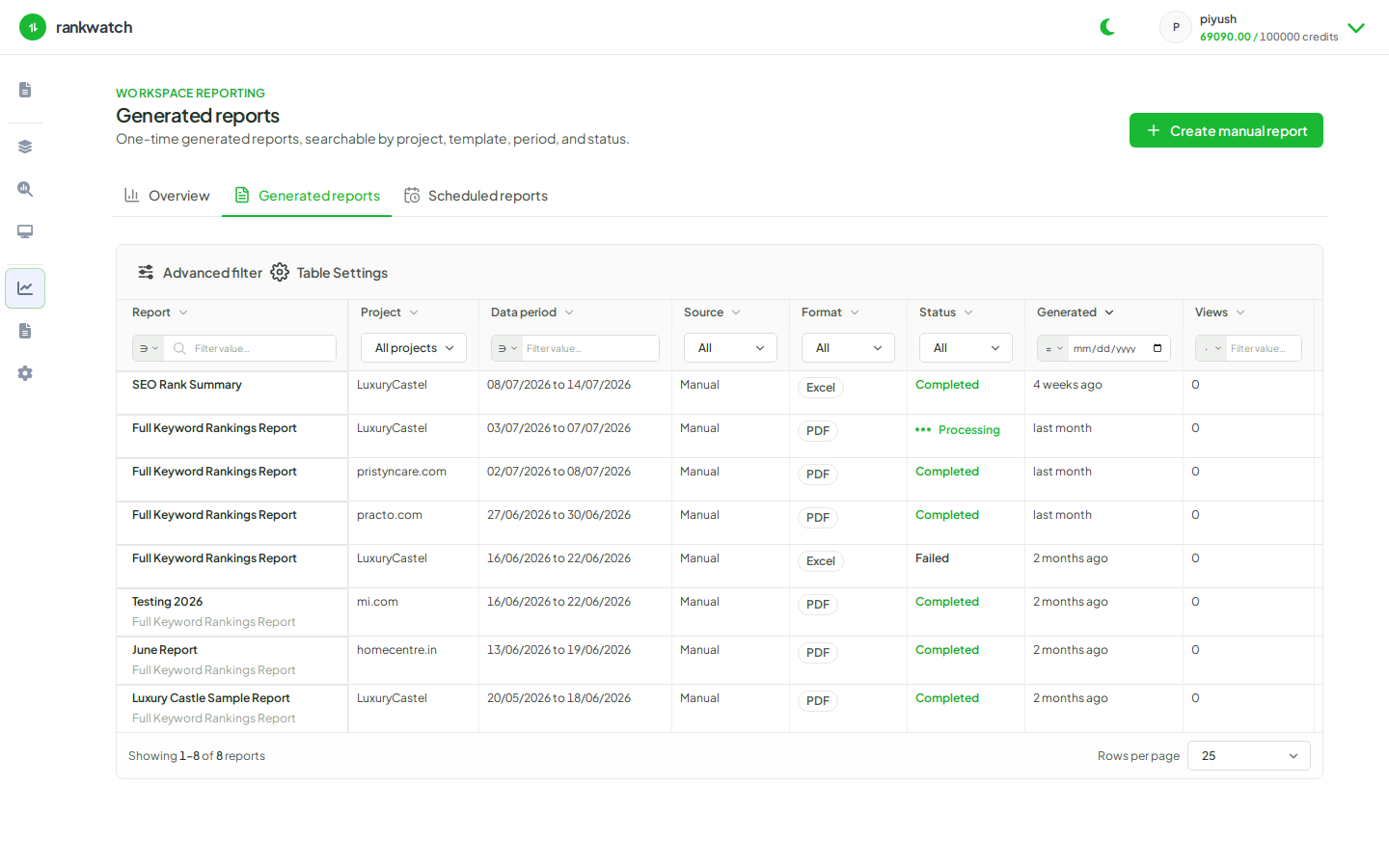
Steps
- Open Reporting → Generated reports.
- Find the run (filter by template, project, or date if needed).
- Confirm status is succeeded / complete.
- Click Download and save the PDF or XLS.
- If status is failed, open the error, fix configure inputs, and regenerate.
Outcome
You have the report file locally. Client delivery links, when enabled, are separate from this download.