
How to schedule a recurring report
Create a scheduled report so RankWatch generates and delivers a ready template on a recurring cadence.
Prerequisites
- Reporting permissions (read / run / schedule / branding as needed)
Schedules automate PDF/XLS generation for a ready template (weekly client packs, multi-region digests). Delivery uses your organization email channels when configured.
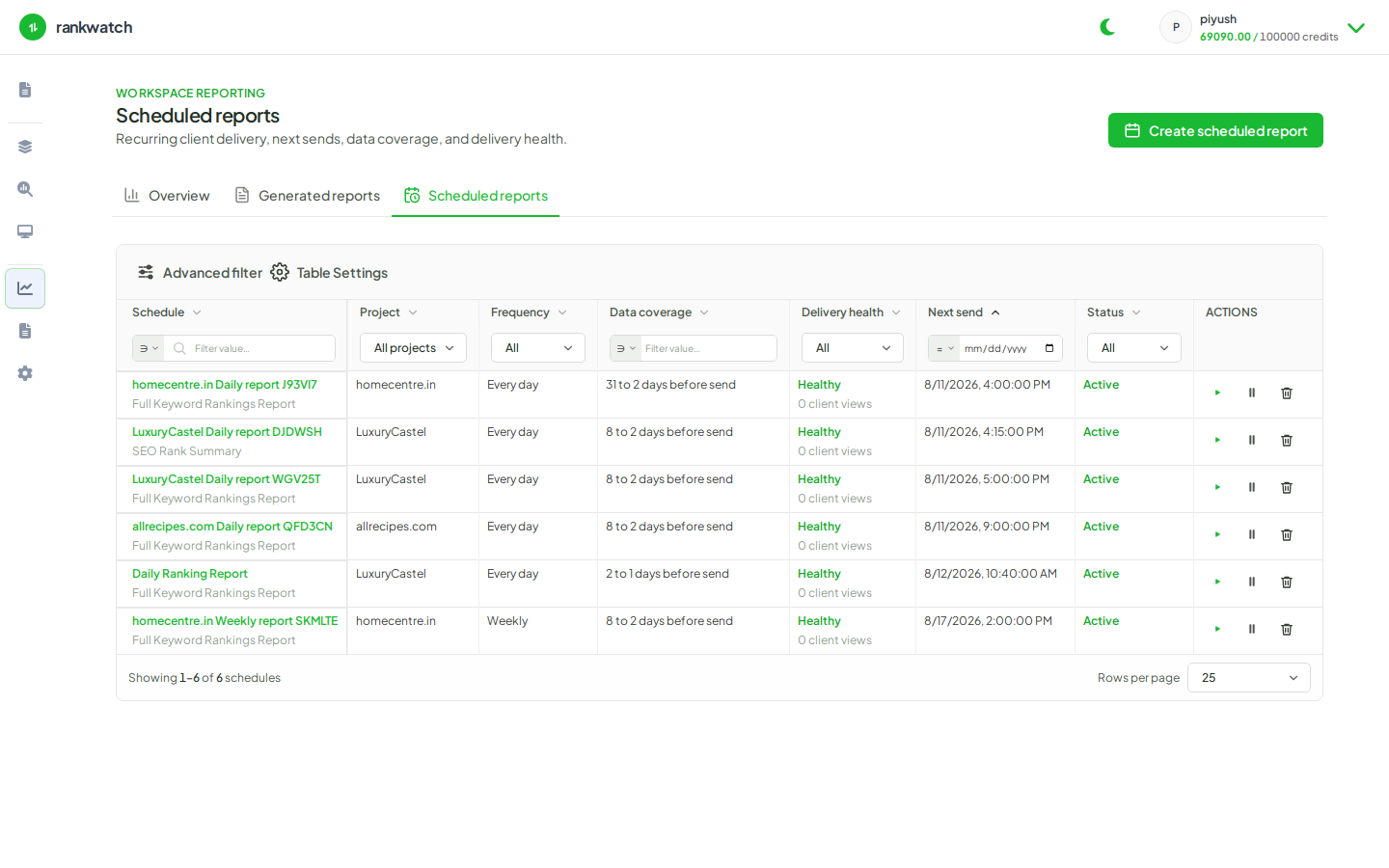
Steps
- Open Reporting → Scheduled reports → New schedule (or start from a template’s Schedule action).
- Select a ready template and output format (PDF or XLS as supported).
- Configure project / context scope, date-range logic, filters, branding, recipients, and cadence (for example weekly Monday).
- Review and Create. Confirm the schedule appears as Active.
- Optionally Run now once to validate output before the first scheduled fire.
Outcome
The schedule runs on cadence and writes runs under Generated reports. Pause or edit anytime from schedule detail. Concepts: Scheduled reports and delivery.