
How to test that invite or alert emails are sending
Verify RankWatch invite and alert emails are delivering through your org email channel (org owner).
Prerequisites
- Organization owner (notification admin is owner-only)
- A safe test recipient inbox you control
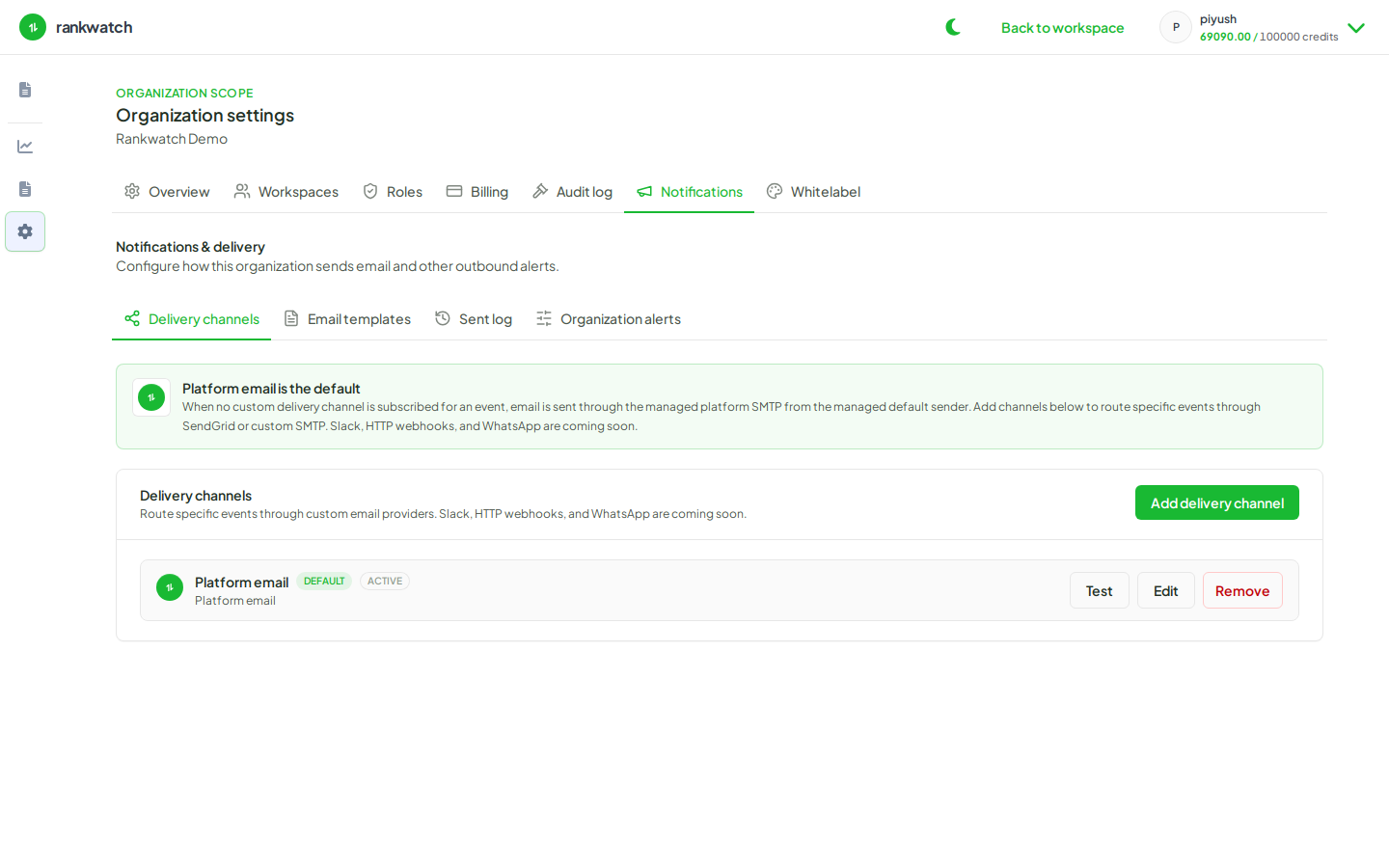
RankWatch organization notifications are email-only. Slack, webhook, and WhatsApp channels are not available — configure email delivery channels and templates instead. Use a controlled invite or alert event, then confirm the Sent log and inbox.
Steps
- Confirm an email delivery channel is configured and saved.
- Send a test invite to an inbox you control from the workspace team invite flow (use a role you can revoke).
- Alternatively, trigger a rank alert you own on a test keyword rule — still email-only delivery.
- Check the recipient inbox and spam. Also open Notifications → Sent log for status.
- If nothing arrives, re-check channel credentials, template placeholders, and whether the recipient disabled that category under Profile → Notifications.
- Revoke the test invite or delete the temporary alert rule when done.
Outcome
You have proof that invite/alert email leaves RankWatch successfully — or a concrete failure point in channel, template, or personal preference.