
How to build a Client Viewer role (read-only dashboards)
Build a read-only Client Viewer workspace role so clients can see RankWatch dashboards without mutating data.
Prerequisites
- Org owner access to Role Management
A Client Viewer role is the standard agency pattern for client portal access: dashboards and reports to read, almost nothing to change. Billing and Role Management remain org-owner only.
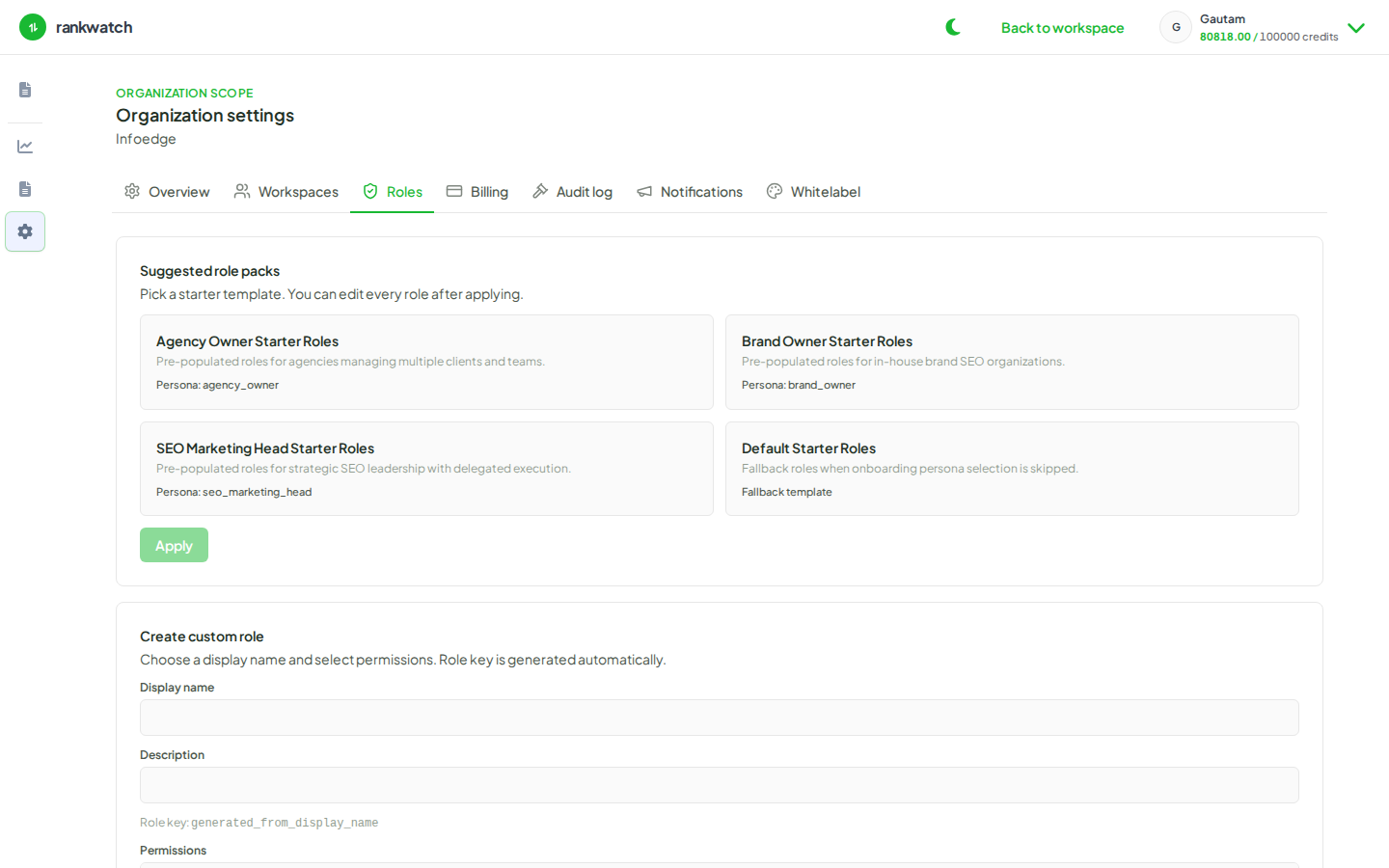
Steps
- Open Organization settings → Roles as org owner.
- Create a role named something clear, for example Client Viewer.
- Enable view permissions for the surfaces clients should see — typically projects, rankings, competitors, backlinks, GSC, and report downloads as the product allows. Prefer view-only over edit or manage.
- Explicitly omit write permissions: keyword edits, project create/update/delete, competitor manage, GSC connect, invites, alert rule edits, and tool job starts (unless you intentionally allow a tool).
- Do not try to grant organization-owner powers (billing, notification admin, Role Management) — those stay with the org owner.
- Save, then invite the client into the correct workspace with this role (invite a client as read-only). Spot-check that Add keywords / settings mutations are blocked.
Outcome
Clients can review SEO (and AI (when included)) dashboards without changing tracking. Pair with whitelabel branding when you hand them a branded portal experience.