
How to update your profile
Update your display name, contact details, and account preferences in RankWatch Profile settings.
Prerequisites
- Signed-in RankWatch account
Keep your profile accurate so invites, alerts, and teammate directories show the right name and email.
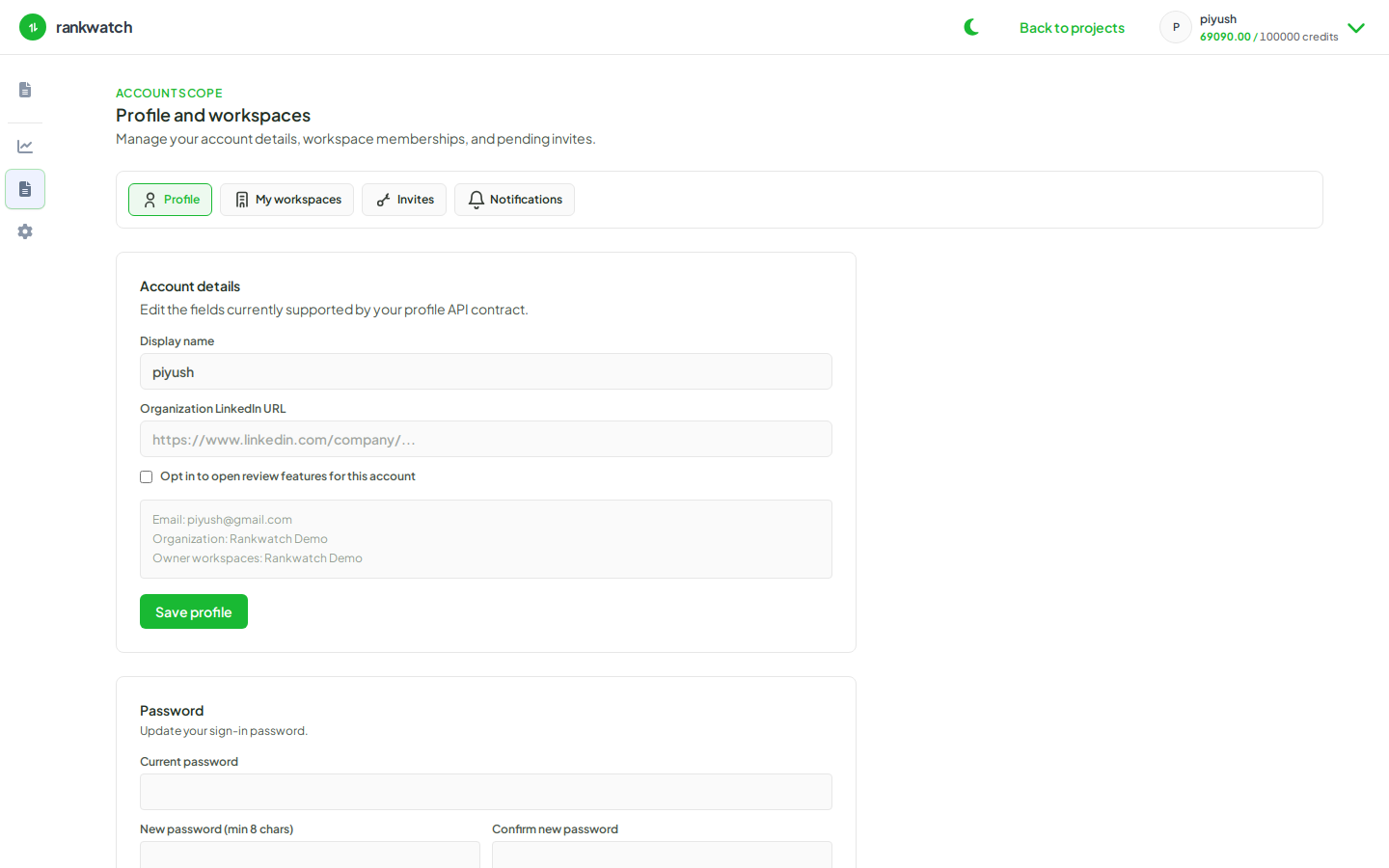
Steps
- Sign in and open Profile & account.
- Update your display name and any editable contact fields shown on the profile tab.
- Save changes and confirm the header / avatar menu reflects the new name.
- Optional: open My workspaces to review memberships, or Invites for pending invites.
- Use a separate flow for password changes (reset your password) and for email notification toggles (personal notification preferences).
Outcome
Your profile details are updated for the account. Workspace roles and org ownership are unchanged — those are managed under Organization and Team settings.