
How to respond when you hit a credit or seat limit
Diagnose RankWatch credit vs seat/package blocks and take safe operator actions until capacity is restored.
Prerequisites
- Org owner for billing changes; operators may pause keywords with keyword manage rights
When an action fails, decide whether you hit credits, a seat/member limit, or a missing product on the plan. Fixes differ — buying credits does not unlock a missing AI Visibility product.
Steps
- Note the exact error (credit insufficient, seat limit, permission denied, or feature not enabled).
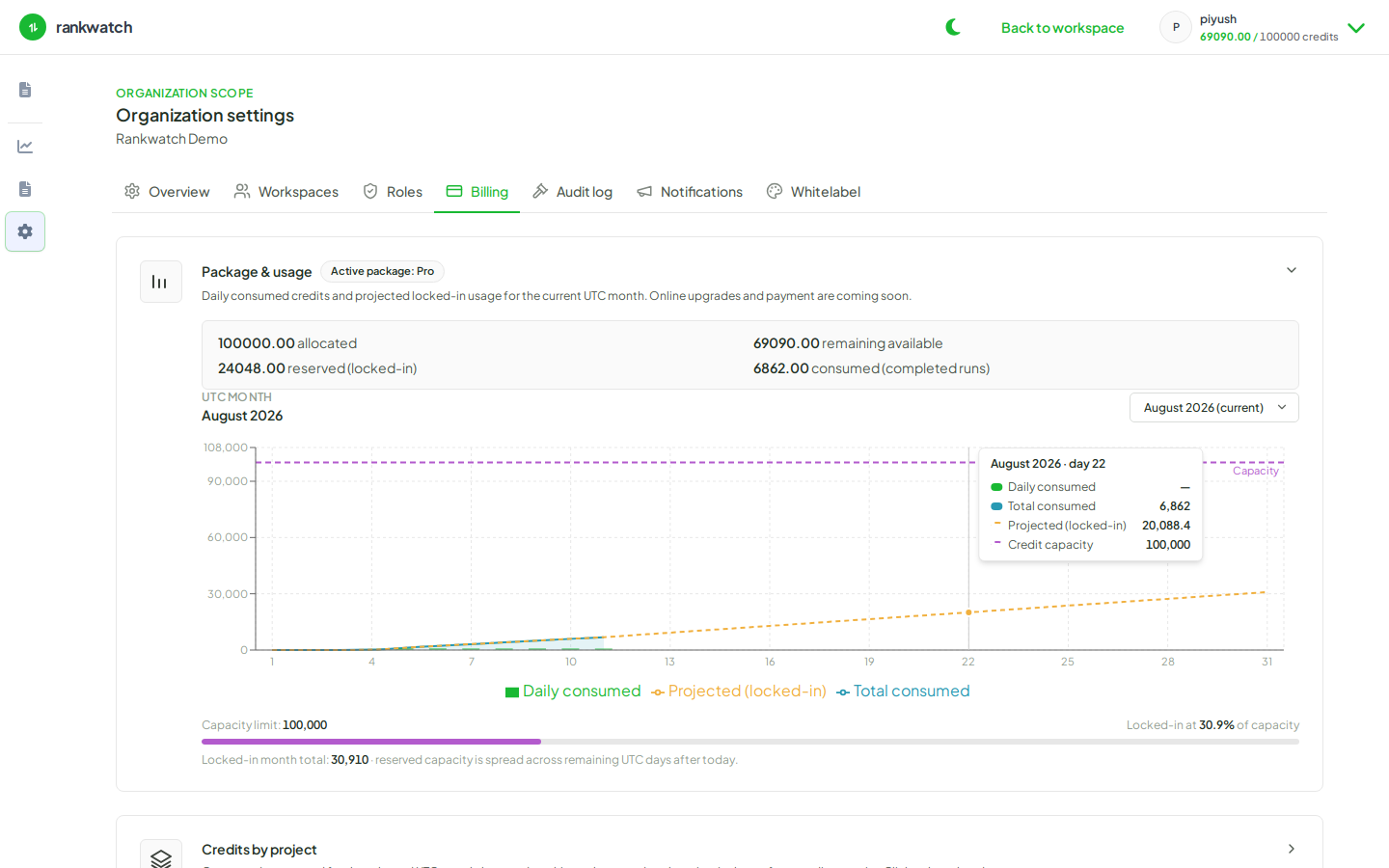
- Open Organization settings → Billing → Overview as org owner. Compare Credits this period and Pack balance with Features & limits on the current plan.
- Credit pressure: pause low-value keywords, lower recheck cadence, defer large tool runs, and review pause or adjust tracking when credits are tight. Prefer pausing over deleting history. For a short burst, buy one-time credits. For a higher recurring allowance, raise monthly credits. If the banner says tracking is paused, credits usually resume jobs automatically after the purchase.
- Seat / member limit: remove inactive members or archive unused workspace access before inviting more people; do not share logins.
- Feature gate (AI / Tools missing): the product is not on the plan. Add it under Billing → Plan when it is listed. More credits alone will not turn the module on.
- If the product you need is not offered on Plan, contact RankWatch support. Do not expect a named-bundle picker on Billing.
Outcome
Tracking and invites fail closed until capacity or package limits is restored. Document what you paused so you can resume after the next credit cycle or plan change.