
How to check org credit balance and ledger
Review organization credit balance, consumption, and ledger entries from Organization Billing (org owner).
Prerequisites
- Organization owner (billing and usage views)
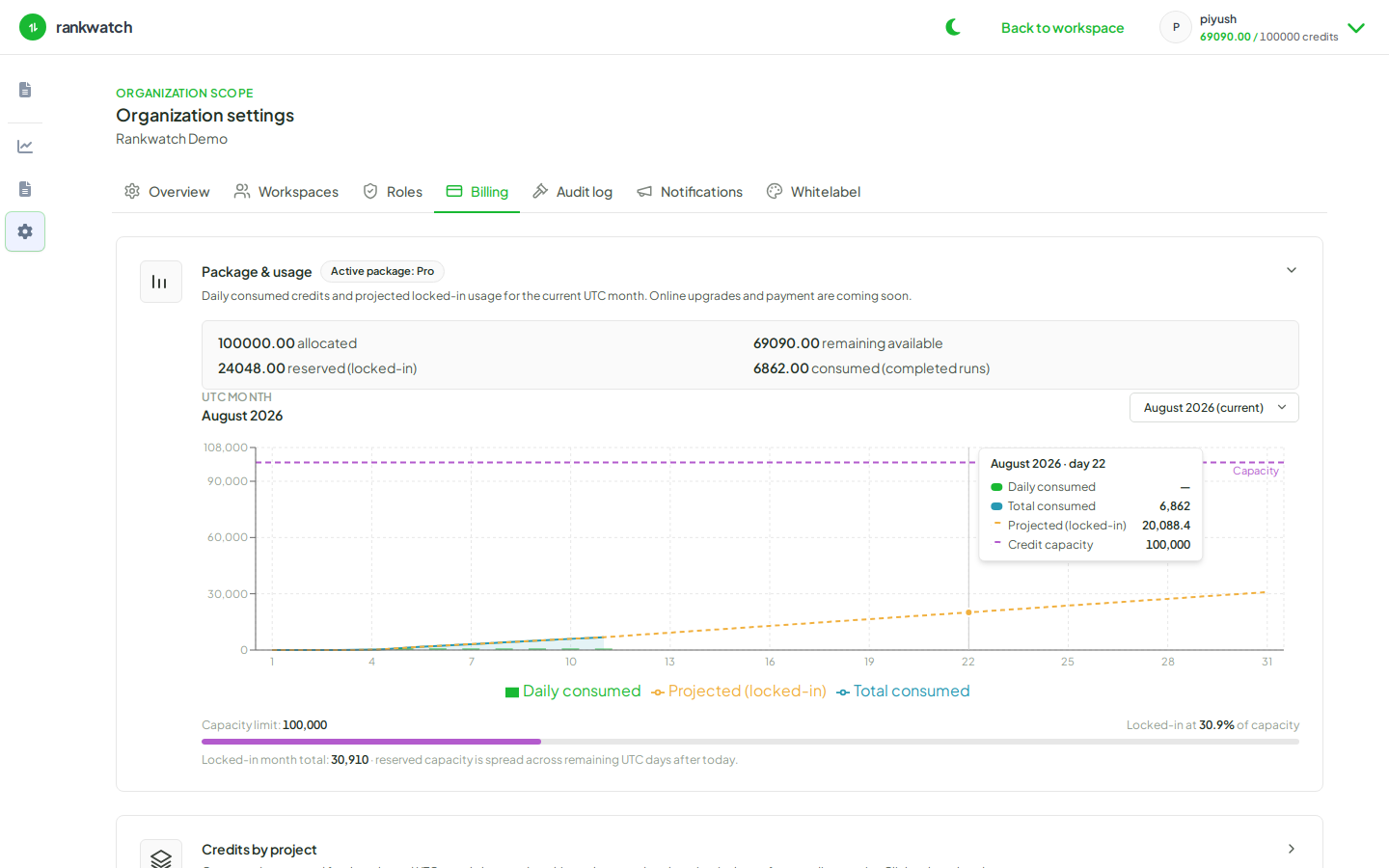
Credits are org-wide. Billing → Overview splits Credits this period (this cycle’s monthly allowance and what remains) from Pack balance (prepaid credits outside the monthly drip). Check both before a large keyword import or AI prompt load.
Steps
- Sign in as the organization owner.
- Open Organization settings → Billing → Overview.
- Read Credits this period (the remaining count under the allowance) and Pack balance. The billing period dates sit between them. Included plan credits are used before pack credits.
- Open Usage on the same tab and scan credits by project and by activity — crawls, rechecks, tool jobs, AI jobs.
- Cross-check included products on the current plan (AI, Tools, seats). A missing nav item is often plan access, not empty credits.
- If usage looks wrong for one client, open that project’s credit usage next. To add headroom, use Plan or Buy credits.
Outcome
You know org headroom for the month and can explain recent ledger lines before approving more tracking or AI volume.